 Twinpage
Document translator for iOS
Translate the document. Keep the page.
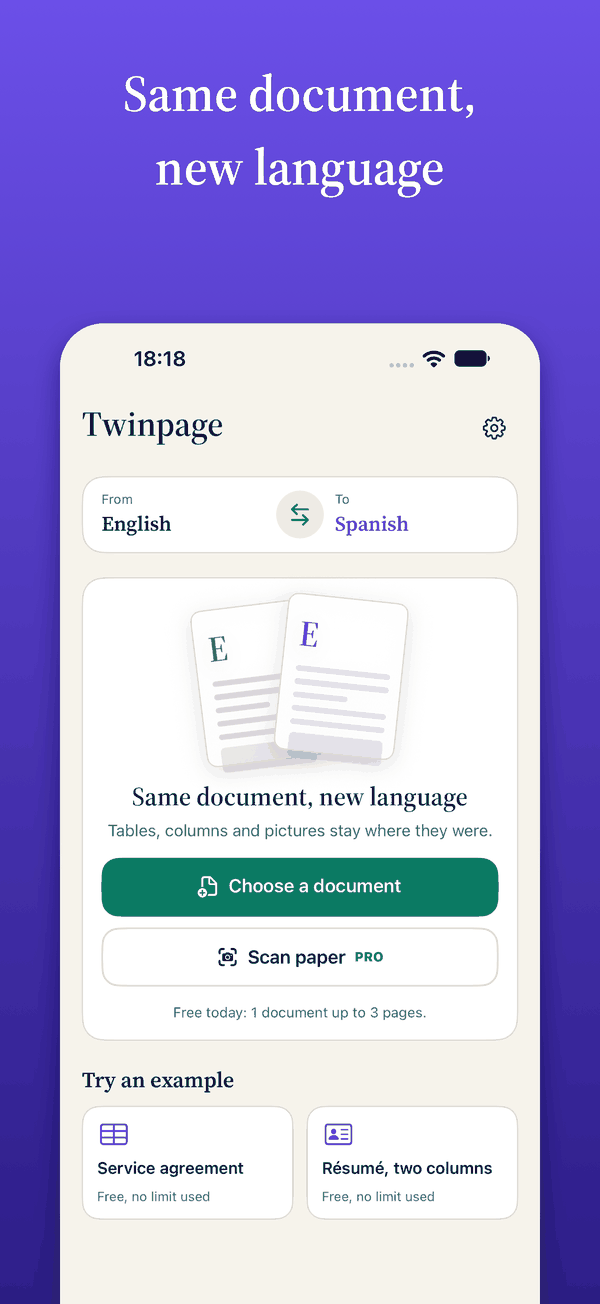
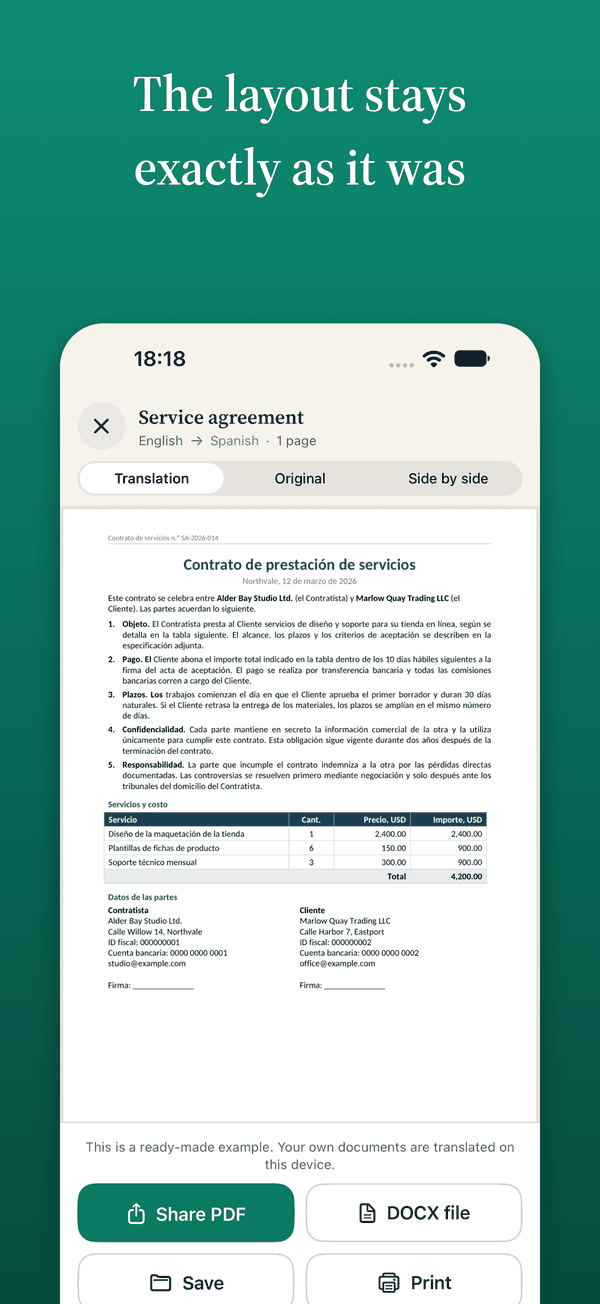
Twinpage turns a PDF or .docx file into another language and hands it back looking like the original: tables, columns, titles and pictures stay where they were. Translation runs on your device, so your files are never uploaded.
Three steps, one minute
Pick a document
Choose a PDF, .docx, .doc or .rtf file, or photograph a paper page with the camera.
Choose the language
Pick from 20 languages. Each one downloads once and then works without a connection.
Compare and keep
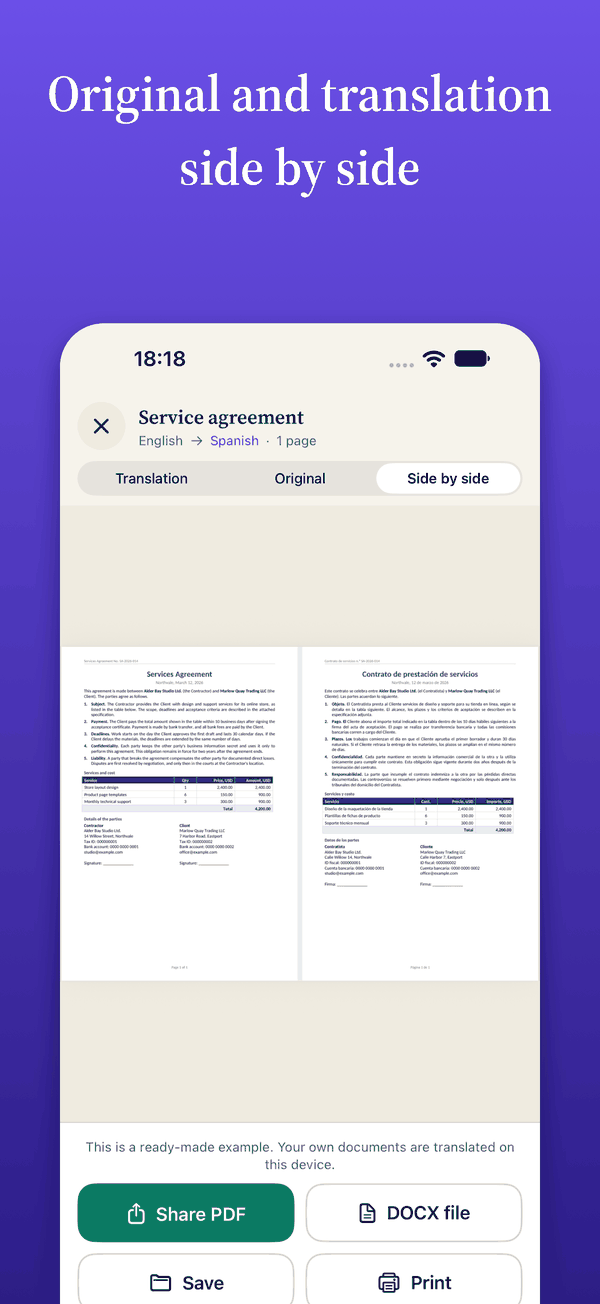
Read the original and the translation side by side, then save, share or print the result.
See it on a real page
What makes it different
Original and translation, side by side
Open the original next to the translation and check any line against its source.
A sample to judge in a minute
Try a sample contract or résumé before you bring a real file. You see the result on a document that is not yours, with nothing to upload.
Translation on the device
The built-in translator does the work on your device. Nothing is sent to a server, and once a language is downloaded it works without a connection.
20 languages
Choose the language you need. Each one downloads once.
- English
- EspañolSpanish
- РусскийRussian
- DeutschGerman
- FrançaisFrench
- ItalianoItalian
- PortuguêsPortuguese
- 简体中文Chinese (Simplified)
- 繁體中文Chinese (Traditional)
- 日本語Japanese
- 한국어Korean
- العربيةArabic
- TürkçeTurkish
- УкраїнськаUkrainian
- PolskiPolish
- NederlandsDutch
- Bahasa IndonesiaIndonesian
- ไทยThai
- Tiếng ViệtVietnamese
- हिन्दीHindi
Whether a particular pair of languages is available depends on your device and its iOS version.
Free to start, Pro when you need more
Prices differ by country and change from time to time, so the app shows them next to the button before you buy.
Free
- One document a day, up to 3 pages
- Sample documents
- Everything runs on the device
Pro
- No daily limit
- Bilingual mode: original and translation together
- Several files at once
- As-original mode for scanned papers
- Weekly or yearly subscription, or a single purchase. The yearly plan starts with a free trial.
Subscriptions renew automatically until you cancel. You can cancel at any time in your Apple Account settings.
Questions
Is the translation accurate enough for official papers?
It is machine translation. It is useful for understanding a document and preparing a draft, but it is not certified and does not replace a sworn translator. For contracts, court, immigration, medical or other papers that carry legal weight, have a qualified translator check the result and ask the receiving office what it accepts.
Are my files uploaded anywhere?
No. The document is translated on your device by the translator built into iOS. There is no account. The app only collects anonymous usage statistics, never the content of a document, and you can switch them off in Settings. Details are in the privacy policy.
Does it work without internet?
Yes, once the languages you need are downloaded. The download happens once and needs a connection. After that you can translate offline.
Which files can I translate?
PDF, .docx, .doc and .rtf files, and photos of paper pages taken with the camera. You get a PDF that looks like the original and an editable .docx. A password-protected file has to be unlocked first.
Will the layout always be identical?
Tables, columns, titles and pictures stay in place. Translated text is often longer or shorter than the source, so lines may wrap differently or the type may shrink a little to fit its frame. Check the result in the side-by-side view, and try the sample first.
Try it on a sample
Open the app, choose the sample contract and see the same page in another language.
Coming soon to the App Store